
How to Watch Your Customers Browse your Shopify Store
Before you start
Store Sessions can record how visitors move through your Shopify storefront so you can replay real browsing sessions later. The setup is a small script added to your Shopify theme.
The screenshots below show the Shopify admin flow. The red boxes highlight the actions to click.
Step 1: Sign up for Store Sessions and find your script snippet
Create your Store Sessions account, open the setup or install page, and copy the script snippet for your store.
Use the exact snippet from your Store Sessions dashboard. It identifies your store's traffic, so do not copy a snippet from another account or example store.
Step 2: Open Theme Editor
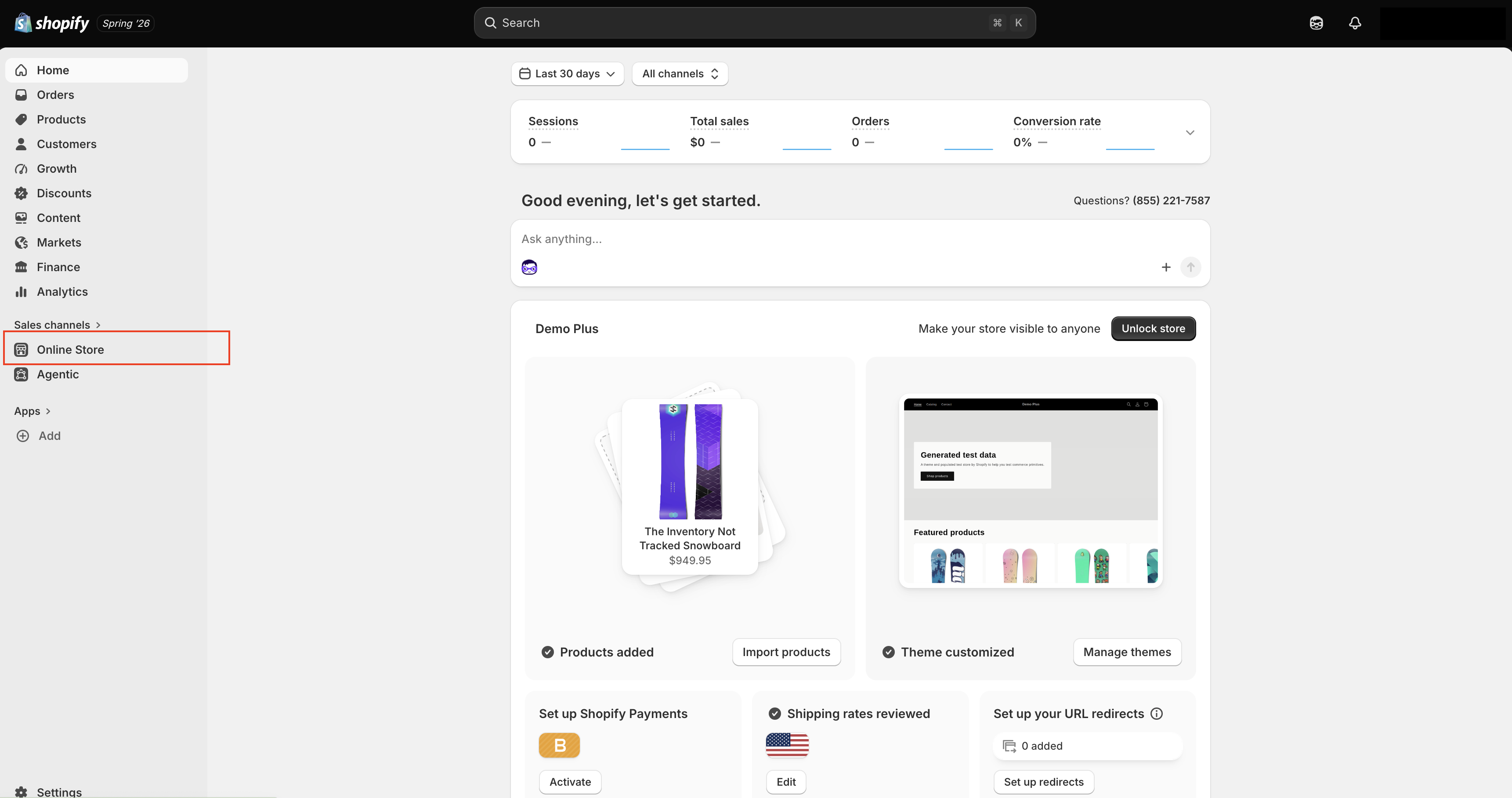
In Shopify, go to your admin dashboard and click Online Store in the left navigation.
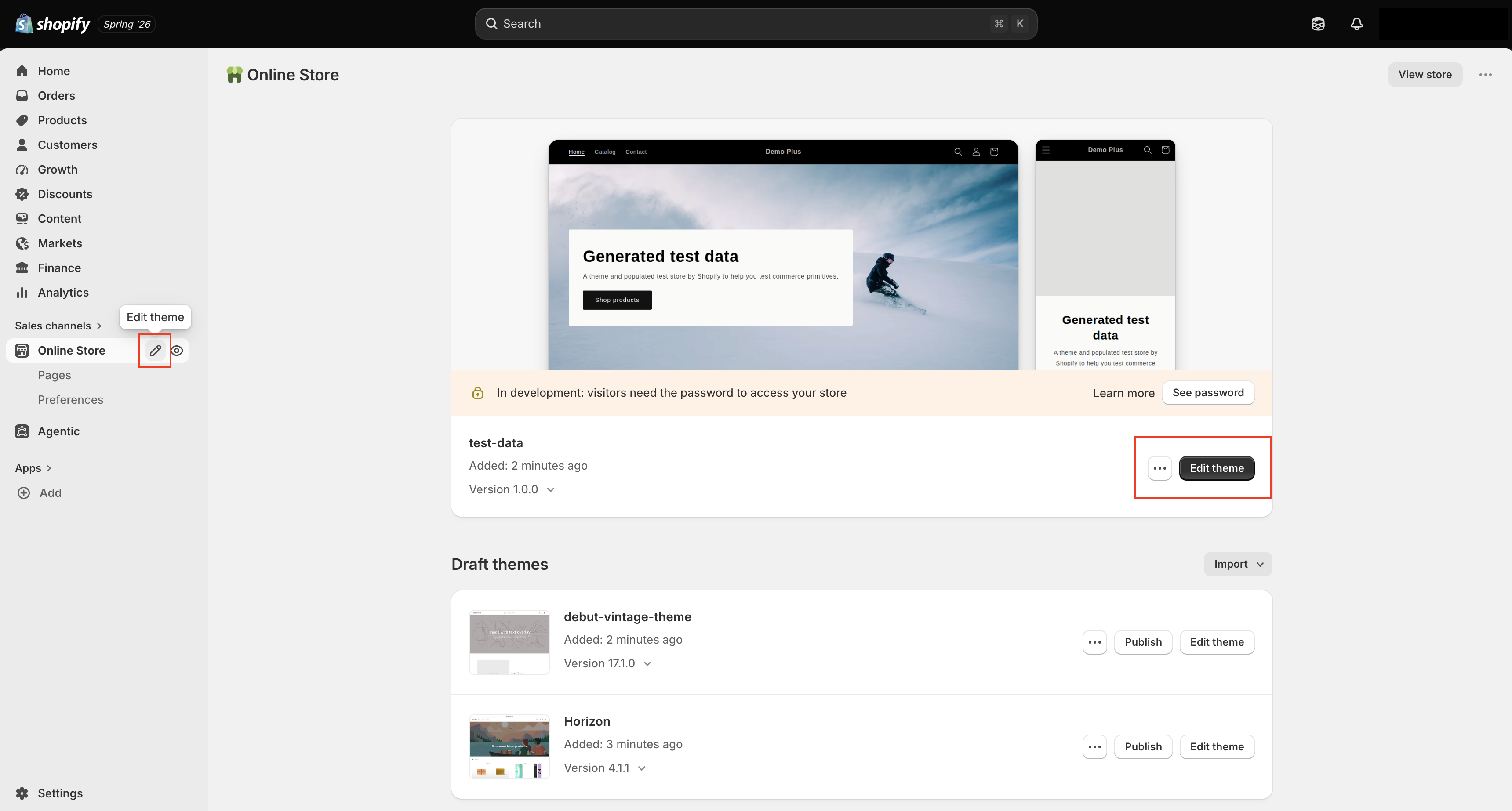
On the Online Store page, choose the theme you want to edit and click Edit theme.
Step 3: Add the script snippet to your theme
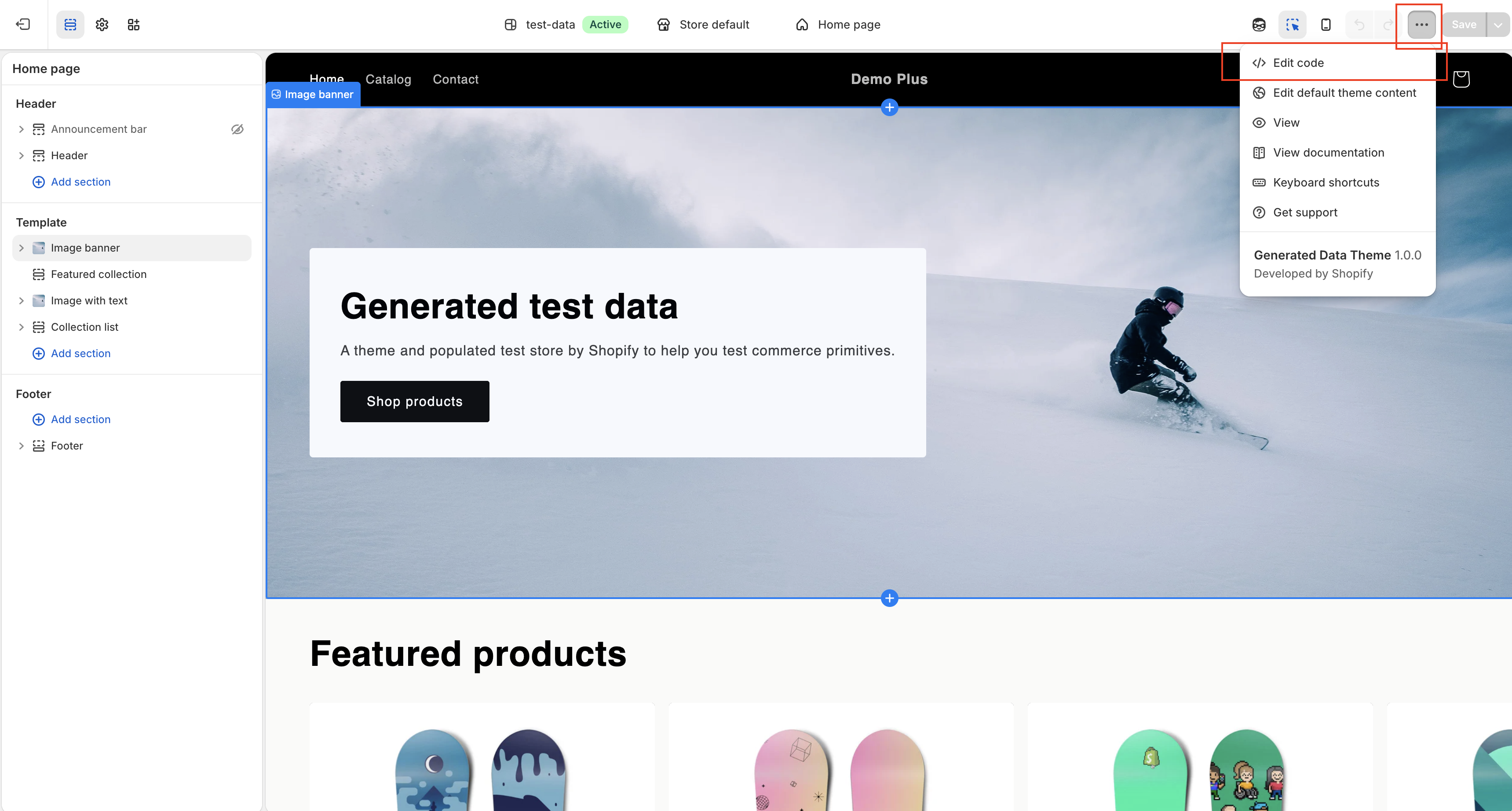
Inside the theme editor, open the menu in the top-right corner and select Edit code.
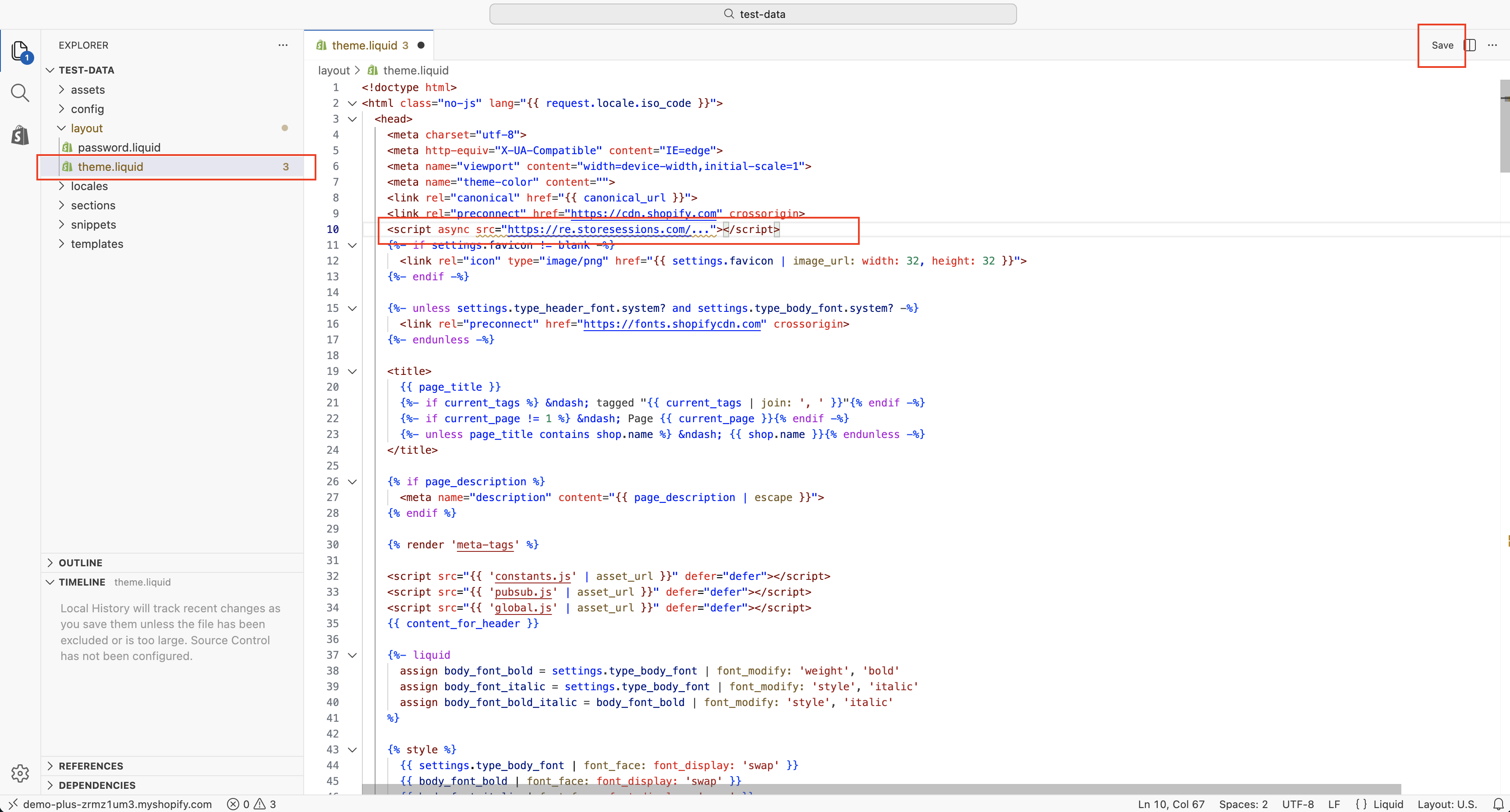
In the code editor, open layout/theme.liquid. Paste your Store Sessions script
inside the <head> section, before the closing </head> tag. Placing it in the
theme layout lets Store Sessions load across your storefront pages.
Step 4: Save changes and publish
Click Save after adding the snippet.
If you edited your live theme, the change is now active. If you edited a draft theme, return to Online Store, open the theme actions menu, and publish that theme when you are ready for visitors to use it.
Step 5: View replays in your Store Sessions dashboard
After the theme is live, visit your storefront in a browser and click through a few pages. Then open your Store Sessions dashboard and check for new session replays.
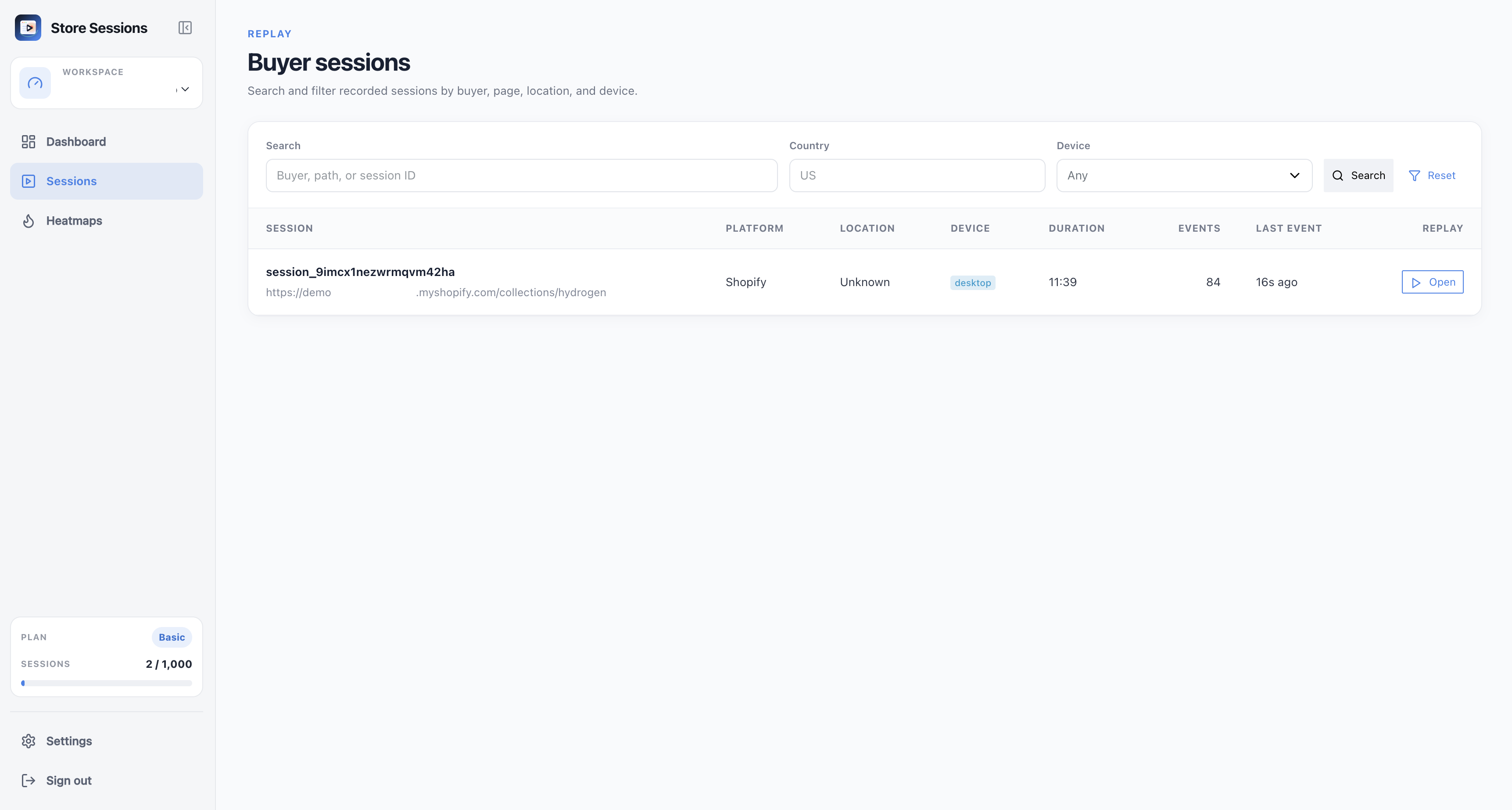
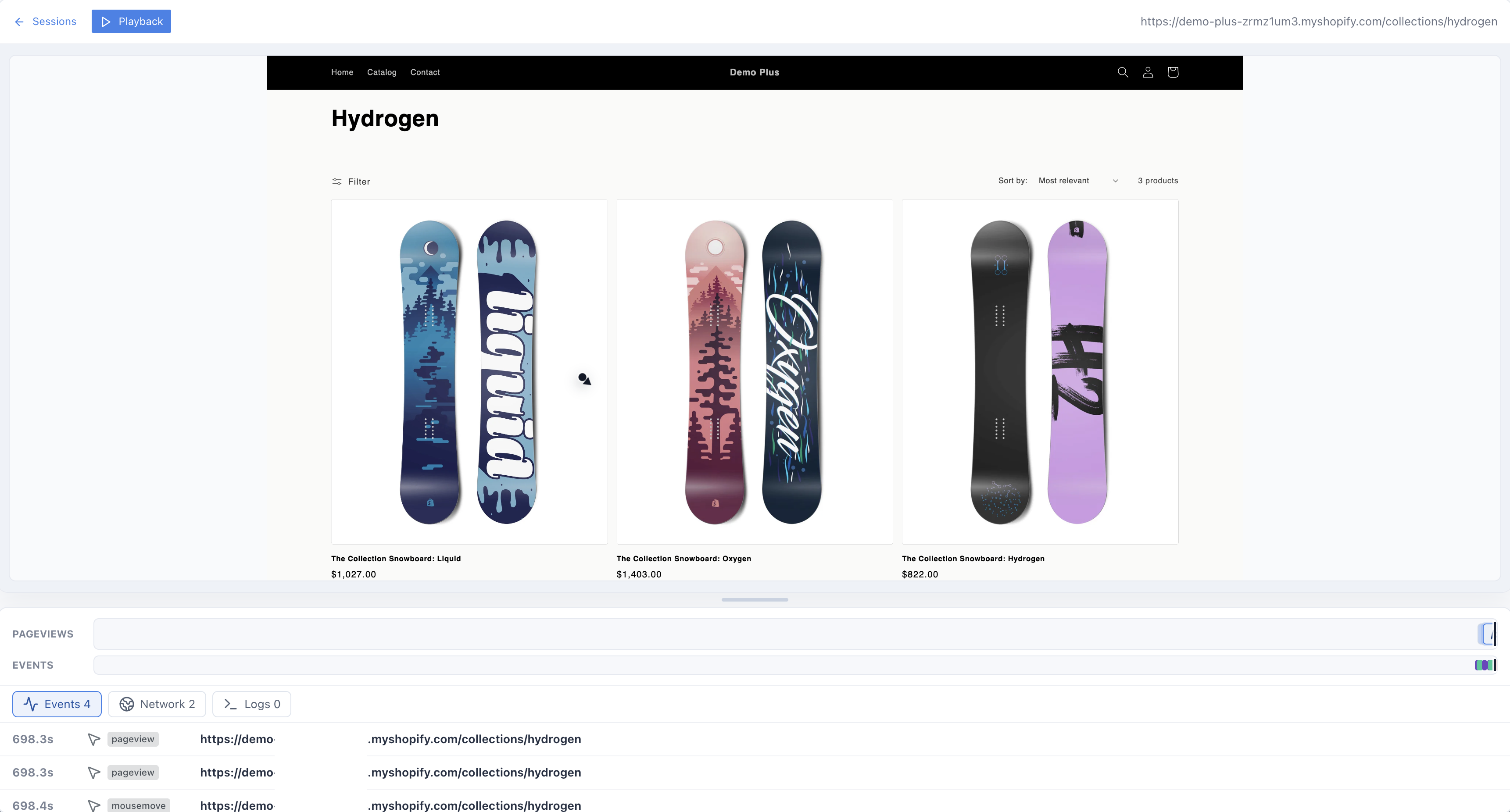
It can take a short time for new visits to appear. Once sessions are coming in, you can review how shoppers browse product pages, collections, navigation, and other storefront content.
Conclusion
With the Store Sessions script installed in your Shopify theme, you can start watching how customers browse your store and find friction that standard analytics does not explain on its own.
This setup covers storefront browsing behavior.