
How to disable capturing for specific countries?
What the country capture setting does
Store Sessions now lets each shop decide which buyer countries are eligible for session capture. You can keep capture open to every country, or narrow it to only the countries you want to support.
By default, every country is enabled for new shops. When you block one or more countries, Store Sessions only captures sessions from the countries that remain allowed.
If Store Sessions cannot determine a buyer's country, the session is captured. Unknown country data should not cause you to lose useful replay data.
Step 1: Open Settings
Sign in to Store Sessions and open Settings from the sidebar. For this walkthrough, we used a test account named Demo.
In Settings, choose the Countries page.
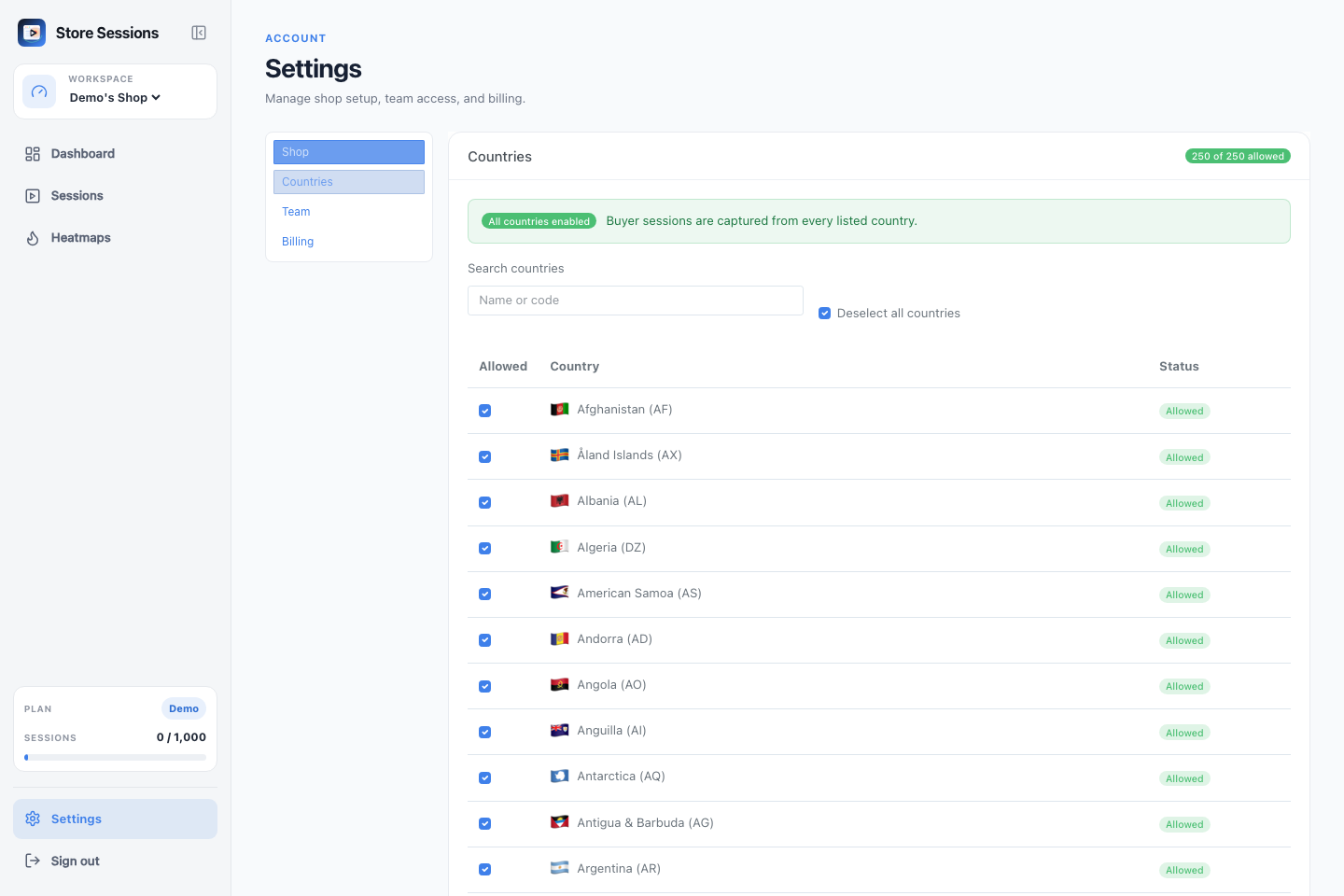
When all countries are selected, the page shows a clear All countries enabled banner and a count showing every listed country is allowed.
Step 2: Find the country you want to disable
Use the search box to filter by country name or country code. For example,
typing Zimbabwe filters the table to the Zimbabwe row.
Each row shows the flag, country name, and code in one label:
🇿🇼 Zimbabwe (ZW)
The status badge tells you whether that country is currently Allowed or Not Allowed.
Step 3: Toggle the country off
Clear the checkbox next to the country. The change saves immediately, and the checkboxes are disabled while Store Sessions updates the shop settings.
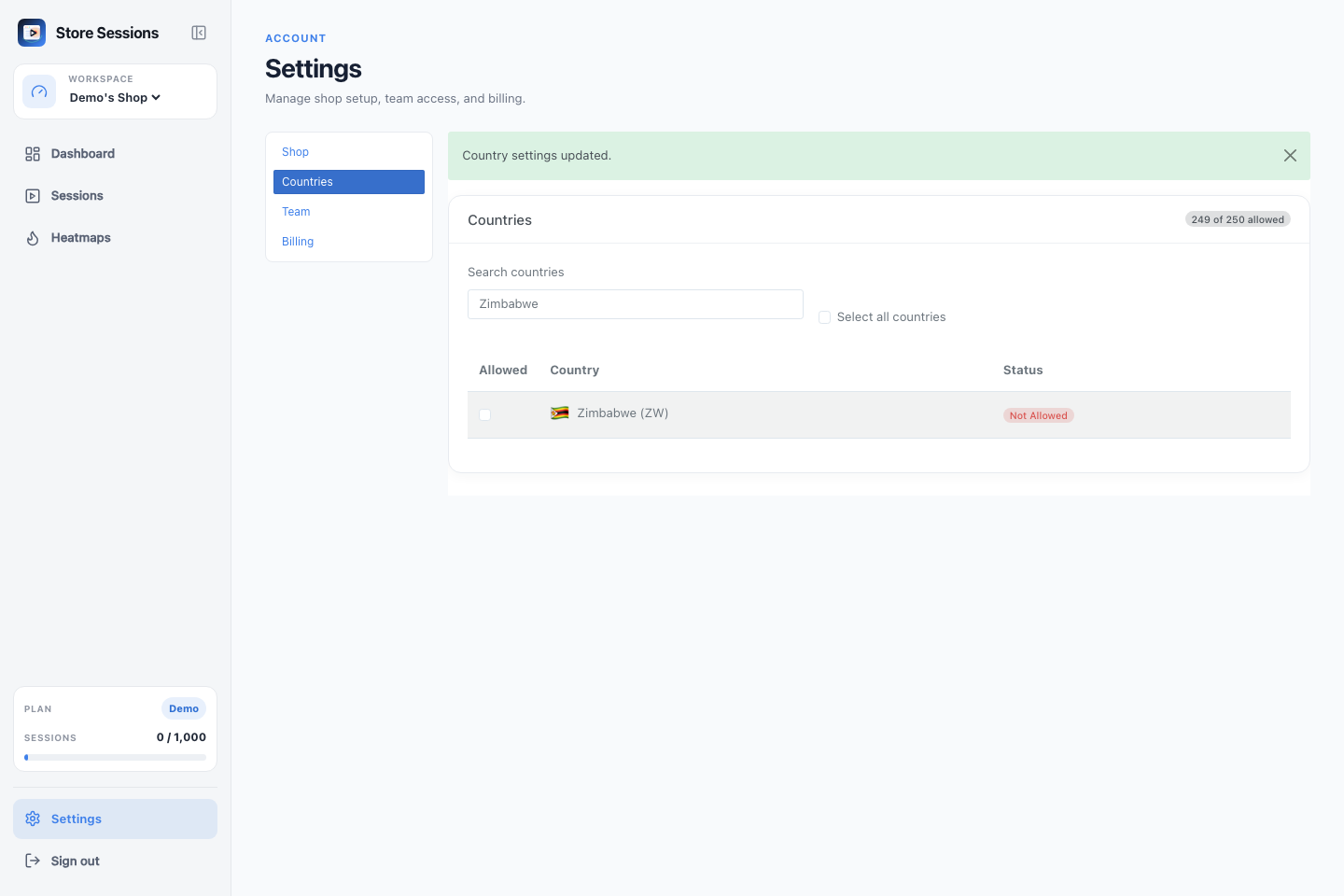
After the update finishes, the country is marked Not Allowed and the allowed country count decreases.
How Store Sessions applies the setting
When a buyer session arrives, Store Sessions checks the buyer's country before storing the session. It uses available storefront context first, then country information from IP lookup when available.
The capture rules are:
- If the country is unknown, capture the session.
- If every country is allowed, capture the session.
- If only selected countries are allowed, capture the session only when the buyer's country is on that allowed list.
- If no countries are allowed, Store Sessions discards sessions where the buyer's country is known.
Unsupported buyer sessions are discarded before they count against the shop's monthly session usage.
Re-enable a country
To allow a country again, return to Settings → Countries, search for the country, and check the box. To restore capture for every country, use Select all countries.
Once every country is selected again, the page will show the All countries enabled banner.