
Shopify traffic but no sales? Stop guessing and watch the replay
The common advice is only a starting point
When a Shopify store is still getting traffic but sales suddenly stop, the usual advice is to open the store in incognito mode and go through the buying flow yourself. That is a good idea. You should check that product pages load, variants can be selected, add to cart works, checkout opens, payment methods appear, and no obvious theme or app error blocks the path.
But that test still leaves you guessing.
You are one person, on one device, in one browser, using a flow you already understand. Real shoppers arrive from different sources, use different screen sizes, click unexpected elements, hesitate in places you would skip, and hit states that may not appear during your clean test session.
Watch what real visitors are doing
The correct next step is to watch the replay with Store Sessions.
If 100 or more people are visiting every day and nobody is buying, the answer is usually visible in the behavior. You want to see where qualified shoppers slow down, rage click, reload, abandon, or loop back through the same pages.
Look for sessions where visitors:
- land on a product page and leave without scrolling
- click variant selectors that do not visibly update
- tap images, reviews, size charts, or trust badges expecting more detail
- add to cart, then remove the item after seeing shipping, taxes, or delivery timing
- try to apply a discount code that fails
- click the checkout button more than once
- move between cart and product pages without making a decision
- encounter a layout issue on mobile that does not exist on desktop
Those moments are more useful than another checklist because they show what actually happened.
Incognito mode cannot tell you intent
Going through your own flow can confirm that the store is not completely broken. It cannot tell you whether shoppers trust the product page, understand the offer, notice the add-to-cart button, believe the shipping promise, or see a mobile layout problem on their device.
That is the difference between testing mechanics and understanding behavior.
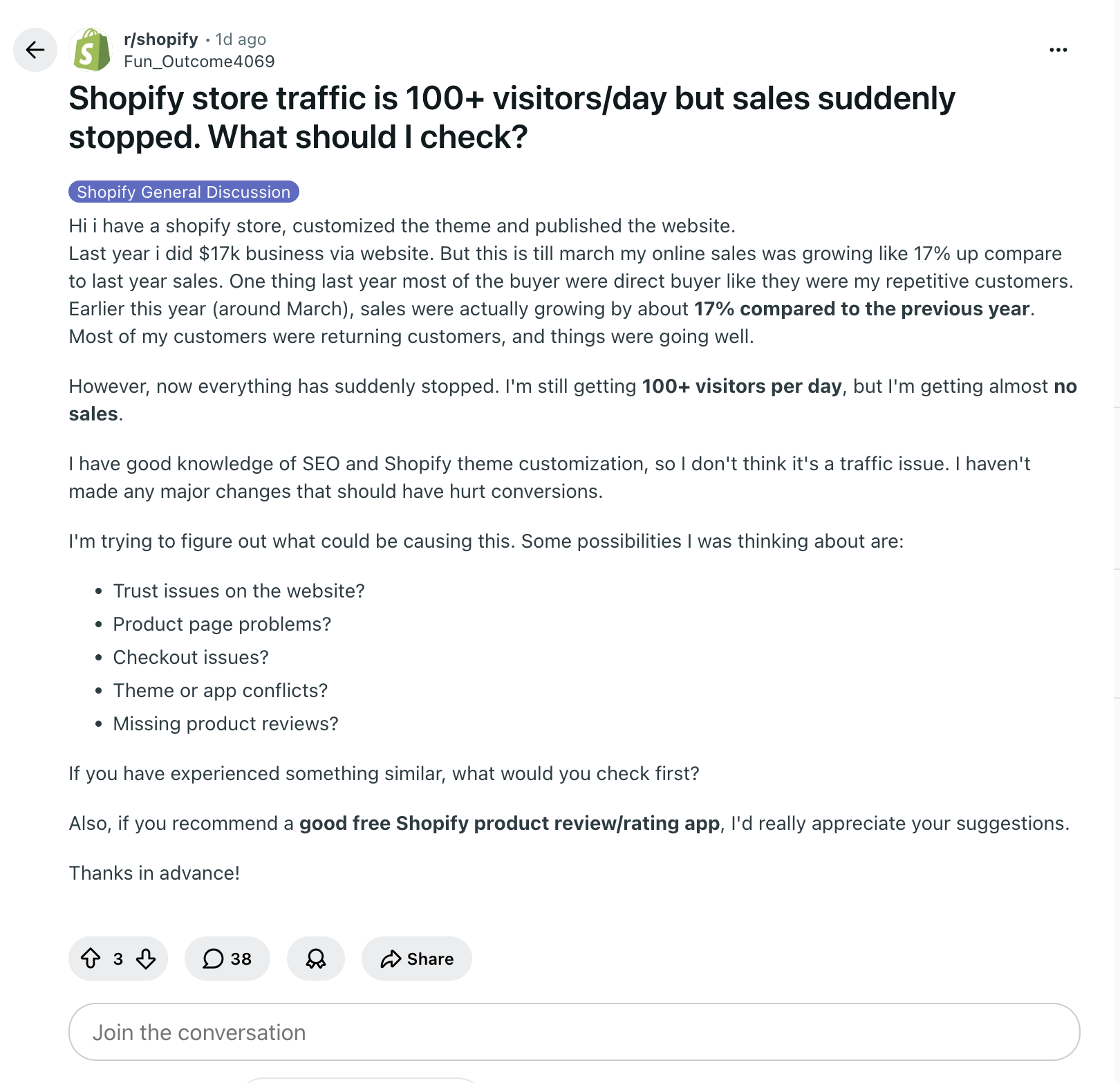
If the store owner in the screenshot is still getting steady traffic, the question is not only "does checkout work?" The better question is "what did today's visitors do before they left?"
What to check first in the replay
Start with the newest sessions from the same period where sales dropped. Filter for visitors who viewed products, carts, or checkout entry points. Do not begin with homepage bounces from low-intent traffic.
Then watch for the first repeated pattern. One broken interaction may be a single visitor's issue. The same hesitation or failed click across several sessions is a conversion problem worth fixing.
If shoppers never reach cart, inspect product page clarity. If they reach cart and leave, inspect shipping, taxes, delivery timing, discount behavior, and cart layout. If they repeatedly click something that is not interactive, make that element clearer or give it the detail shoppers expect.
The practical answer
Use incognito mode to catch obvious breakage. Use Store Sessions to find the real reason visitors are not buying.
When traffic remains steady but sales disappear, guessing from analytics or testing your own perfect path is too slow. Watch the replay, find the repeated friction, and fix the specific moment where shoppers are getting stuck.